


How do I edit a booked quote?
How do I edit a booked quote?
How do I disable SantaCruz default hourly pricing?
How to set up level 2 data validation?
Connect Google ADS to TQB for quote and booking conversion tracking
How do I enable and set up SantaCruz vehicles?
How to set up webhooks for zapier or any other system (CRM integrations)?
How to set up BOTZERO for Santacruz Custom Pricing
How to set up The Quote Bot to work with Live Chat
How to enable vehicles for the Fasttrak integration?
Setting up the GNet Integration
Setting up document signatures integration
How do I configure Santa Cruz to enforce higher hourly rates for Weekend Pricing?
If you ever need to edit a booked quote to fix a mistake, change the service date or just adjust because of cancellation then you can do that by following the steps below.
First, you need to make sure that the setting below is enabled in the settings tab. (Admin only)

If that setting is enabled, then any system user can reactivate their booked quotes.
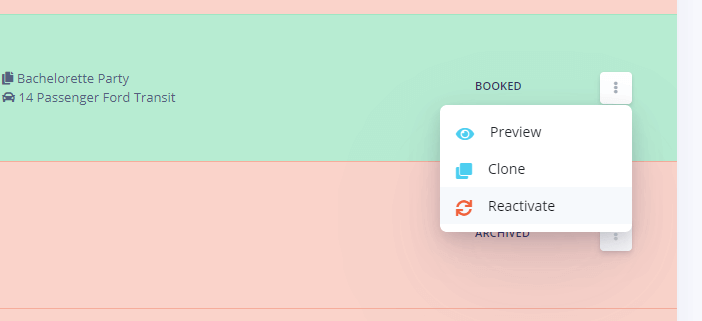
Once reactivated the quote can be edited and then marked as booked again.