


How do I configure Santa Cruz to enforce higher hourly rates for Weekend Pricing?
How do I edit a booked quote?
How do I disable SantaCruz default hourly pricing?
How to set up level 2 data validation?
Connect Google ADS to TQB for quote and booking conversion tracking
How do I enable and set up SantaCruz vehicles?
How to set up webhooks for zapier or any other system (CRM integrations)?
How to set up BOTZERO for Santacruz Custom Pricing
How to set up The Quote Bot to work with Live Chat
How to enable vehicles for the Fasttrak integration?
Setting up the GNet Integration
Setting up document signatures integration
How do I configure Santa Cruz to enforce higher hourly rates for Weekend Pricing?
If you’d like to use a different rate, you’ll need to create a new pricing rule with the hourly rates you want and link it directly to that account.
One helpful tip: you can create two pricing rules with the exact same name—one for weekdays and one for weekends. For example, you might name both rules “QBotPricing Rule.”
- In the first rule, check Monday through Friday and enter the weekday hourly rates.
- In the second rule, check only Saturday and Sunday and enter your weekend rates.
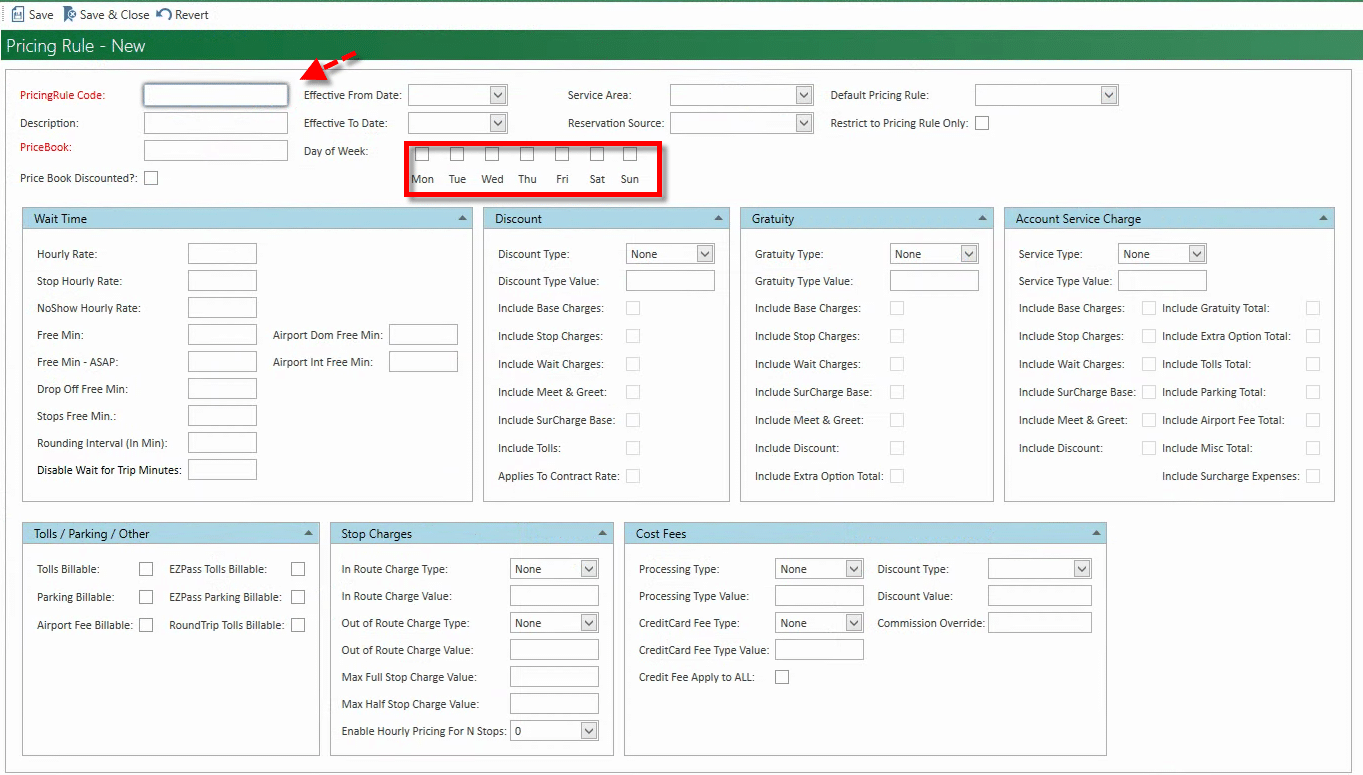
- Then go back to the account and add the newly created pricing rule
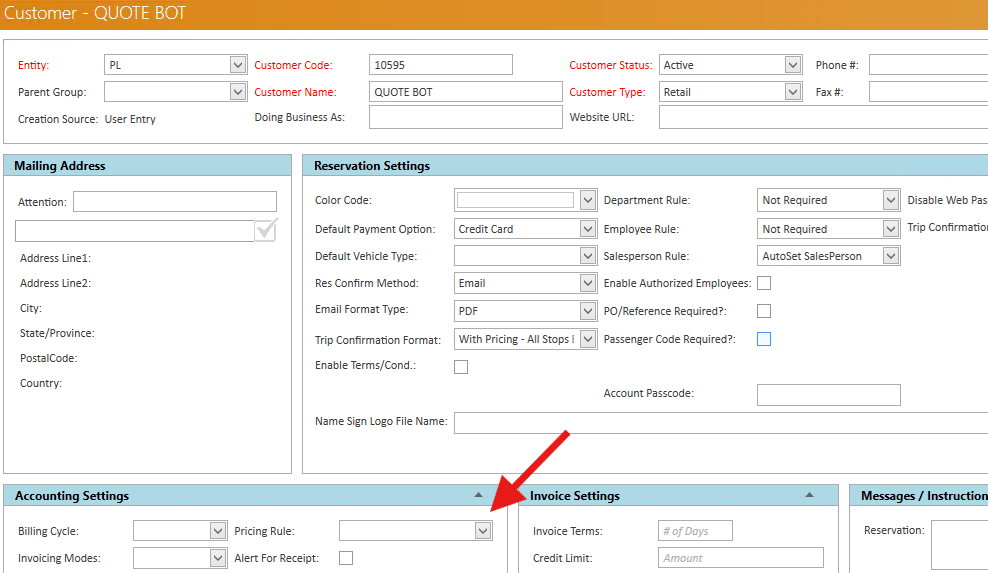
This setup will ensure the appropriate rates apply depending on the day.
Let me know if you need help creating the pricing rule or linking it to the account.